
CANtrace – CAN bus analyzer software
CANtrace is professional CAN bus analyzer software for monitoring, decoding and diagnosing CAN, CAN FD, CANopen and SAE J1939 communication. Analyze messages and signals in real time or log data for further analysis and troubleshooting.
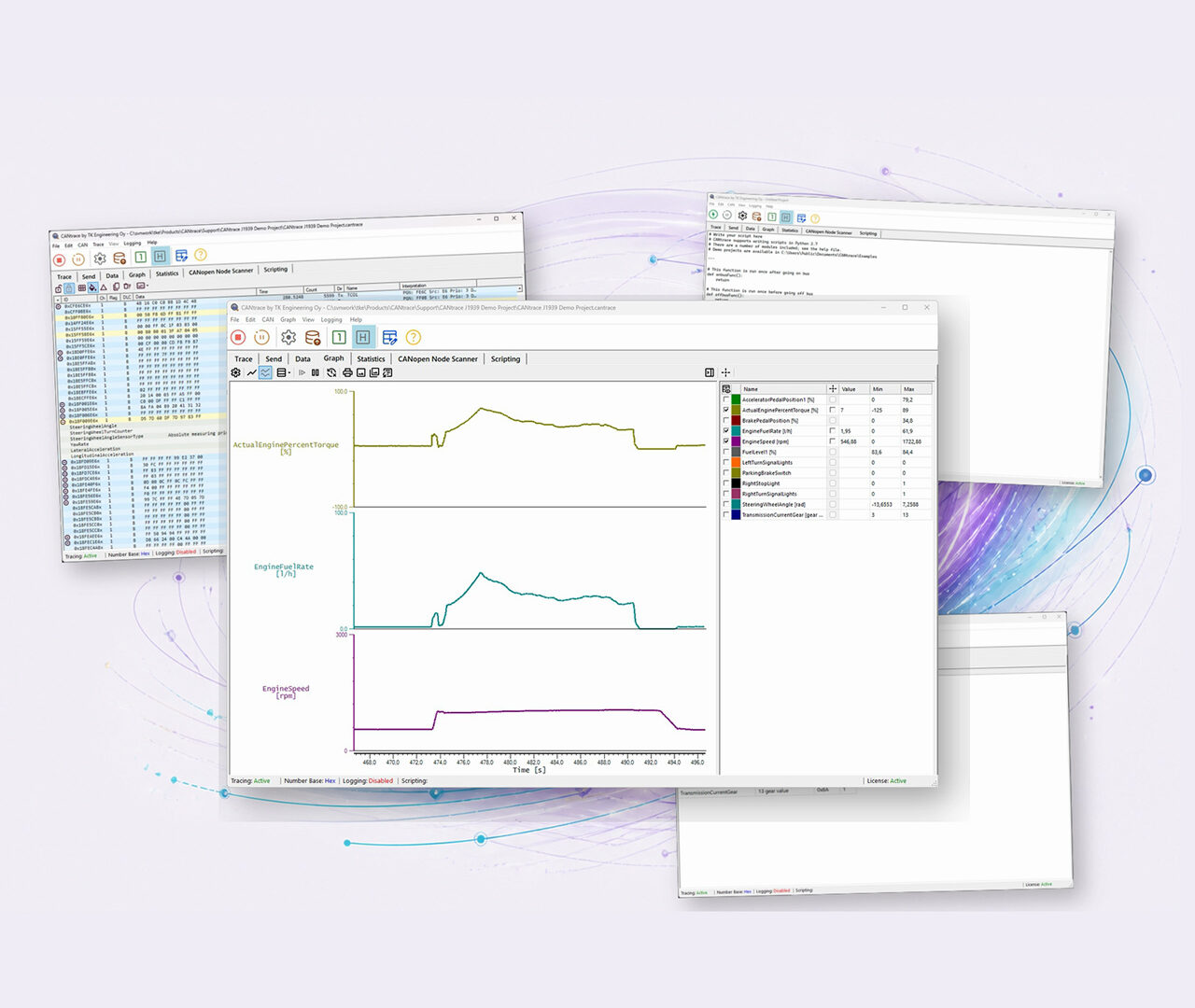
CAN bus analysis and troubleshooting tool
Detect communication issues and troubleshoot CAN networks in real-time.
- Communication errors
- Message timing issues
- Bus load and error frames
- Timing and synchronization issues
CAN bus analyzer software and diagnostic tool

Get started in minutes
Intuitive interface with easy setup and configuration.
Supports leading CAN hardware
Compatible with leading CAN interfaces – no hardware replacement required.

Cost-effective tool
Professional CAN diagnostics without premium licensing costs.

Trusted by engineers
Trusted by CAN engineers for reliable diagnostics and analysis.
Everything you need for CAN analysis
CANtrace knowledge base
Access documentation, software updates, tutorials, scripts, and support resources for CANtrace.
Technical support?
Our engineers can assist with installation, licensing, configuration, and troubleshooting.
Compatible with leading CAN hardware





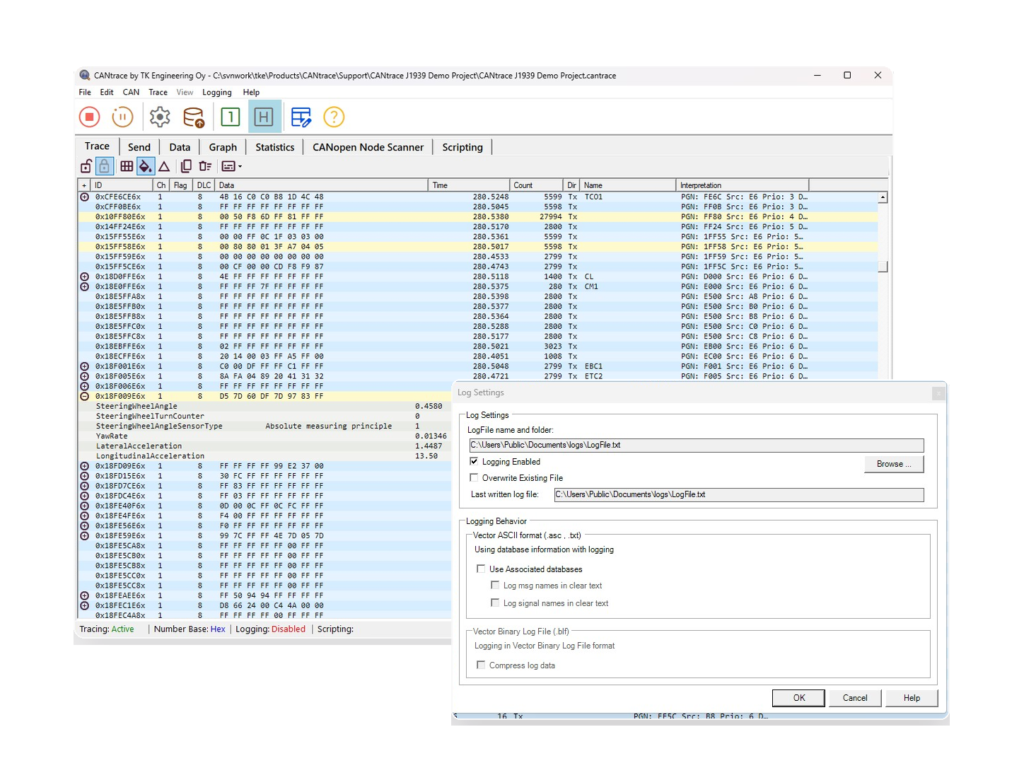
Intuitive design for fast setup
CANtrace helps engineers analyze CAN communication during development, testing and troubleshooting. Monitor CAN traffic in real time, decode CANopen and J1939 messages, inspect signal values and identify communication issues directly from the network.
CANtrace provides a user-friendly interface and comprehensive support for industry-standard DBC databases, Vector ASCII (ASC) files and BLF log files. CANtrace is a valuable tool for both beginners and experienced engineers. Its intuitive design allows users to quickly set up projects and start analyzing CAN communication.
Whether it’s real-time troubleshooting or comprehensive post-processing, CANtrace offers the tools needed to efficiently manage CAN bus communication.
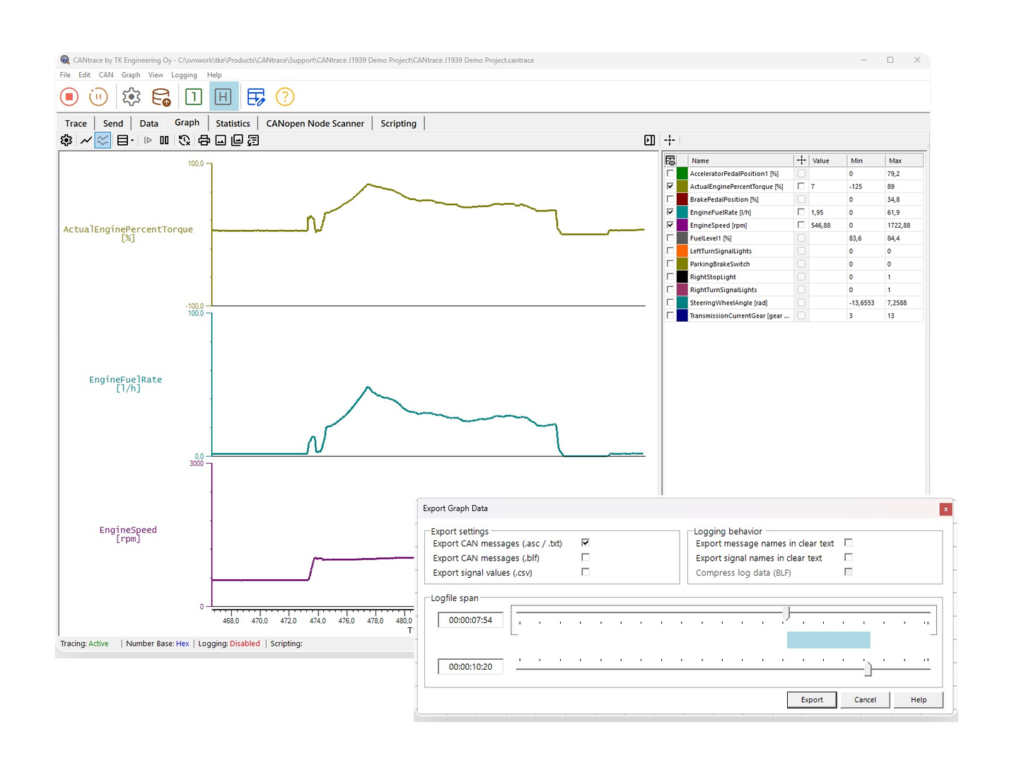
Show data on graph
CANtrace features a powerful graphing tool that enables real-time plotting of signal values. You can easily plot multiple signals, switch between single and multi-view presentation modes, adjust the signal presentation, and manipulate the colour-coded signals using user-friendly controls. Utilise data cursors for precise measurements, export CAN messages and signal values from graph sections and create figures of your graphs for reports and documentation.
Recorded CAN traffic can be logged and analyzed later, making CANtrace suitable for both laboratory testing and field diagnostics. With support for DBC databases, CAN FD, multiple CAN interfaces and Python scripting, engineers can use CANtrace for everything from basic network monitoring to advanced diagnostics and automated analysis.

Olli Inkinen
Software Engineer

Rickard Bäckman
Software Engineer