Real-time vehicle data for safer, more effective driver training
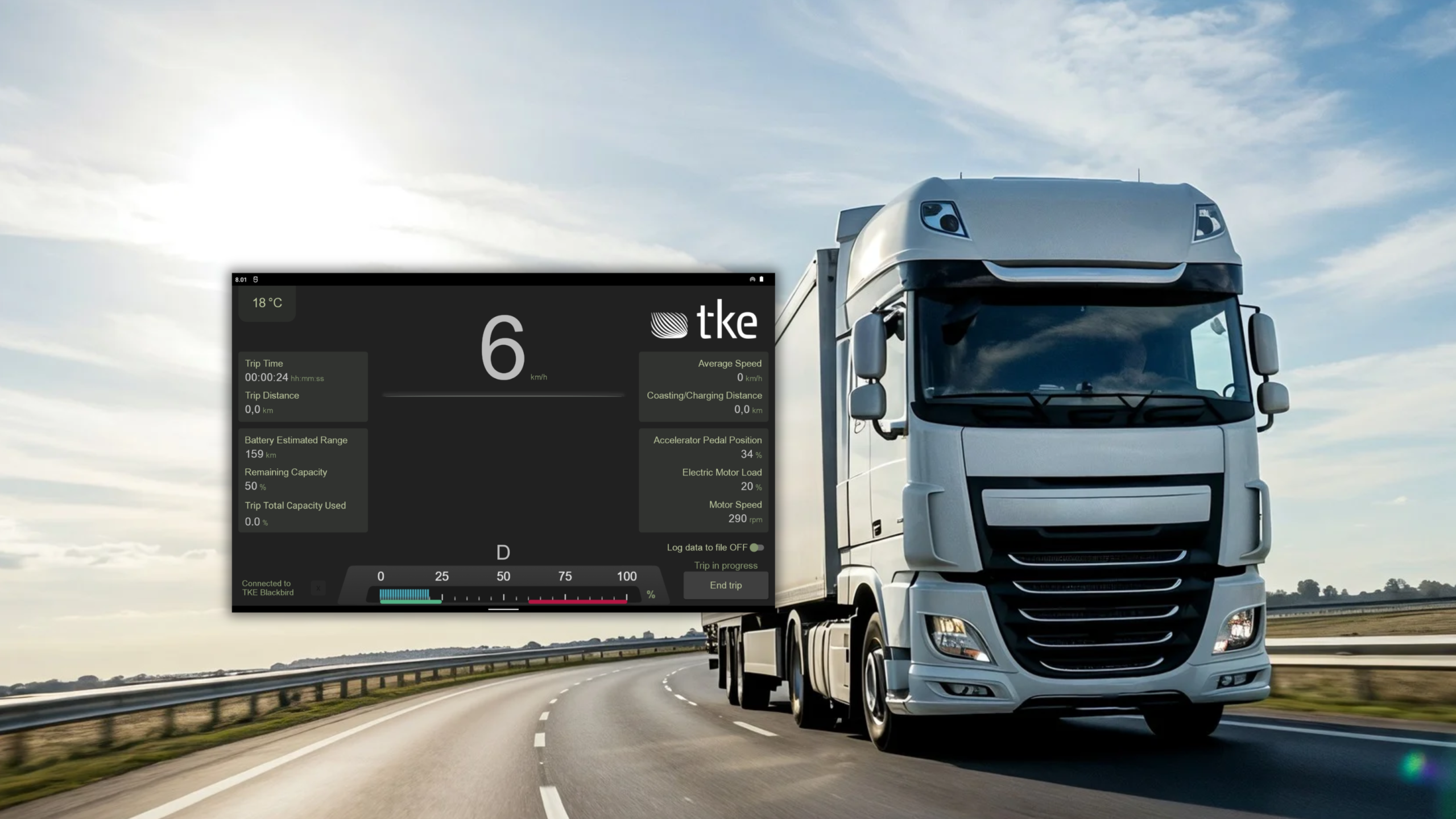
TKE Driver Training brings selected dashboard information from the truck to a tablet in real-time. Instructors can monitor key vehicle data from the passenger seat, guide the driver during the session and review recorded data afterwards.
Give instructors a clearer view of every training session
TKE Driver Training mirrors selected instrument-cluster information on a tablet, making it easier to follow vehicle data without leaning across the cab to check the dashboard.
Designed for professional driver training
During a driving lesson, instructors need to focus on the road and the trainee.
TKE Driver Training is built to support professional driver education. The tablet interface can be tailored to the vehicle and course, so instructors can focus on the information relevant to each training session.
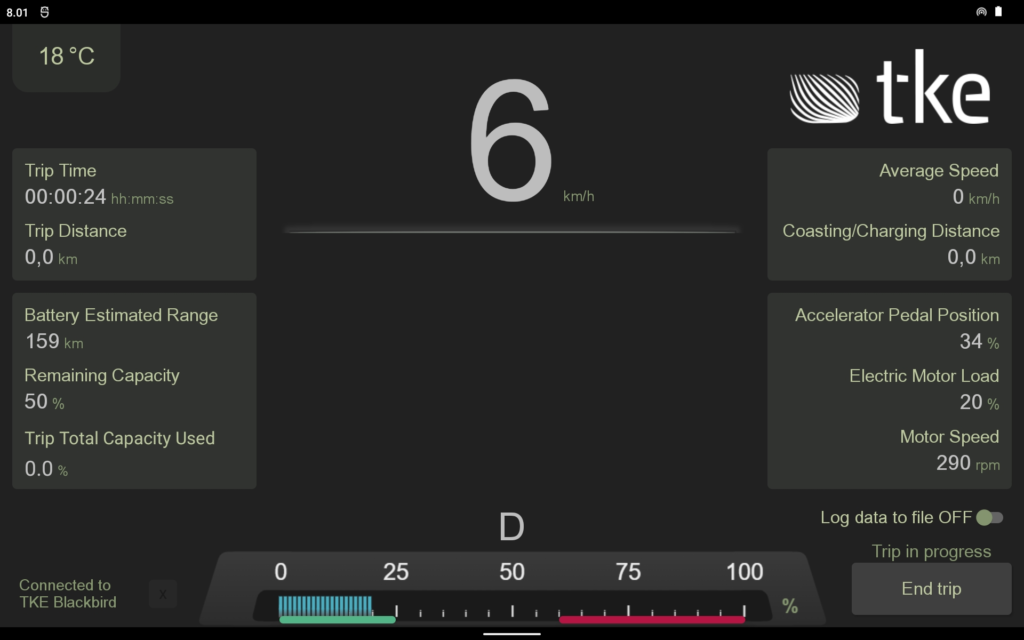
| Display | What it shows |
|---|---|
| Ambient temperature | Temperature outside the truck |
| Vehicle speed | Current speed; turn signals can also be shown when available through the BodyBuilder module |
| Trip data | Information collected during the trip |
| Connection status | Connection between the tablet and the Kvaser interface |
| Engine RPM | Engine speed shown as a graphical gauge |
| Trip control | Starts or ends the current trip |
| Data logging | Enables or disables recording to a file |
How it works?
TKE Driver Training reads vehicle data from the truck’s CAN bus and sends it to an Android tablet. The connection to the CAN bus was made through the trucks’ BodyBuilder (BBM) or Fleet Management Services (FMS) module, with a Kvaser CAN interface transferring data to the tablet.
The tablet application presents selected information in a dashboard-style view. Instructors can monitor the readings during the drive and record session data for later review.
See vehicle data live
Monitor selected dashboard information on a handheld tablet while the vehicle is in use.
Coach from the passenger seat
Give instructors a clear view of key readings without needing to lean towards the driver’s instrument cluster.
Review the drive afterwards
Log session data for later analysis and debriefing with graphing tools.
A dashboard tailored to your training
The interface can be configured to show the information that matters for your vehicle and training programme. Depending on the available vehicle signals, the display can include items such as speed, engine RPM, trip information, ambient temperature and connection status.
Training-focused interface
Presents vehicle information in a layout familiar to drivers and instructors.
Live vehicle data
Displays selected signals from the truck’s CAN bus.
Configurable views
Adapt the interface to the training requirements and available vehicle signals.
Session logging
Record data for review after the drive.
Customizable display
The application can be adapted with additional data sections or visual changes.
Expert support
Developed by TKE, drawing on its experience with CAN technology and heavy-duty vehicles.
Proven in truck driver training
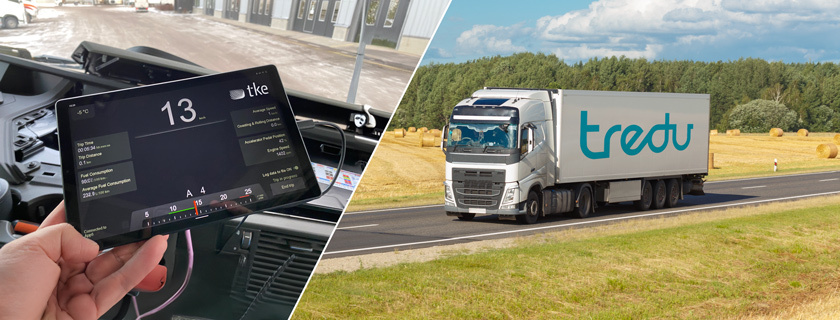
Tampere Vocational College Tredu approached TKE for a tool to improve the effectiveness and safety of truck driver training. TKE delivered TKE Driver applications for Tredu’s Volvo and Renault trucks.
The tablet-based application let instructors monitor the trucks’ instrument-cluster data from the passenger seat. Driving-session data could also be recorded and reviewed later.

Timo Laine
Software Specialist